
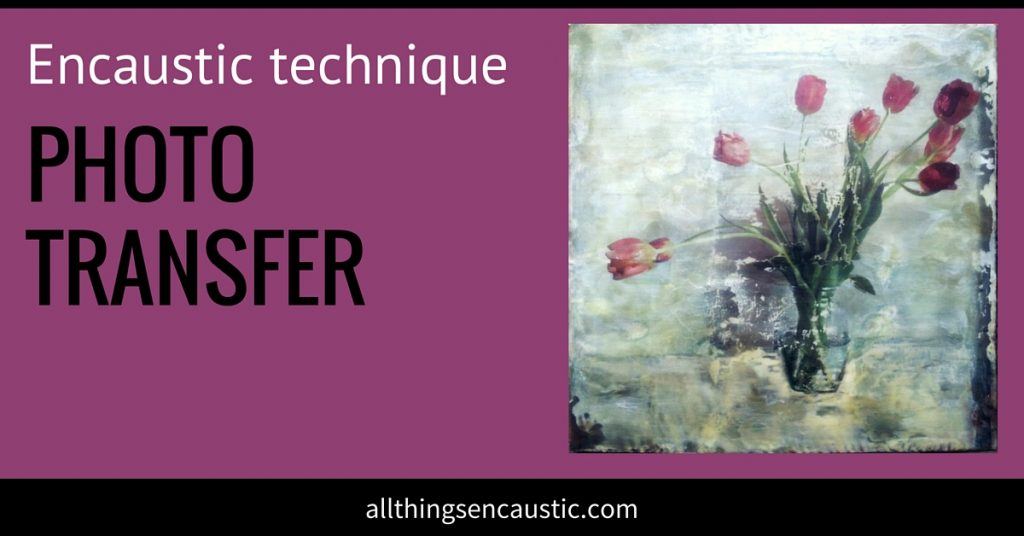
I always enjoy seeing the look on someone’s face when they first witness the magic of encaustic photo transfer. The moment the paper peels away to leaving the image on the surface of the wax is nothing short of amazing.
Tips for Successful Encaustic Photo Transfer
- Use High-Contrast Images
Select images with bold contrast to ensure a clear and striking transfer. - Choose Pigment-Based Inks
Use photocopies, laser-printed images, or pages from magazines. Avoid inkjet prints with dye-based inks as they won’t transfer well. - Start with a Smooth Wax Surface
Ensure your wax is smooth and even; textured surfaces can cause gaps in the transfer. - Work with Firm Wax
If the wax is too soft, burnishing can leave unwanted marks. Slightly warm, firm wax is ideal. - Reverse Your Image
Remember, the transfer will appear reversed. Flip your image digitally before printing if orientation matters.
If your substrate is larger than 8 1/2 x 11, follow these instructions to print your image to tile across multiple pages.
6 Steps for Photocopy Transfer in Encaustic Art
If you’re new to encaustic photo transfer or looking to refine your skills, this guide will walk you through step-by-step instructions for success.
- Prepare the Wax Surface
Warm the wax slightly, but ensure it’s smooth and firm to the touch. - Position Your Image
Place the reversed photocopy face-down on the wax. For small transfers, protect the edges by placing vellum or waxed paper over the image. - Burnish Thoroughly
Use a burnishing tool, the back of a spoon, or a clean brush handle to rub the image firmly in small circles. Ensure every part of the image is burnished to avoid gaps. - Wet and Rub the Paper
Wet the back of the photocopy with water (I use a spray bottle). Rub gently in circular motions to dissolve the paper. Reapply water as needed until the paper is completely removed. - Check for Residue
As the surface dries, fragments of remaining paper will become noticeable. Continue adding water and rubbing until the surface is clear. - Fuse the Image
Gently fuse the image into the wax. Use a blow torch with a dip-in-and-pull-away motion or a heat gun, keeping it moving to avoid overheating. An embossing heat tool works well for precise, low-temperature fusing. Stop before the image distorts unless you prefer a wabi-sabi effect.
That’s it!

Alternative Method: Parchment Paper Transfer
While the steps above are the most common, I’ve found the parchment paper photo transfer method to be simpler and more forgiving. This technique eliminates the need to rub away paper.
Encaustic Step-by-Step Image Transfer Demo
Explore, experiment, and enjoy the process!



Hi … I came across your site as I am new to encaustic art. I was charmed to see that you have taken workshops with Andrea Bird. Our families go way back and I’ve always loved her art. Thanks for all of your great tips!!
HI there, do ink jet printers work here? mine will not transfer like my laser printer did
Hi Carmen,
For a successful photo transfer, you’ll need an inkjet printer that uses pigment inks and not dye-based inks. My daughter’s printer uses pigment ink for black but the coloured inks are dye-based. You’ll need to do some research. I use a laser printer.
Is it possible to burnish too much? I am getting blank spots – so I might be missing spots when burnishing. But I think I am covering the whole image, so wondering if either my wax is too warm or I am pressing too hard
Hi Sarah,
Is your wax super smooth? If there is a spot that has texture, it won’t take the transfer. If the wax is too warm you’ll leave marks in it. I don’t think you’re pressing too hard, more likely missing spots.
Does the Epson Eco-tank 8550 use the appropriate ink for doing transfers ?
Hi Cherie,
From what I read here https://epson.com/i/C11CJ21201 it uses dye-based inks so I don’t think it will work.
I have a lazer printer, yet it will not work at all. Press down and nothing transfers. Help!
Hi,
It’s not just pressing down you need to rub (burnish). And don’t pull it up when you’re finished rubbing it down… use water to dissolve the paper. I hope that helps
Hi there, I am having the same issue as the person above. The transfer works but when I lightly fuse on top of the transfer it blurs and spreads. Any suggestions would be appreciated. Thank you!
Following your wonderful instructions, transfers of my photos onto the wax medium is working very well. However, after the transfer is complete, I lightly fuse the transfer. Later, if I want to put a top layer of wax medium over the photo — it blurs and the toner spreads, ruining my image. What am I doing wrong?
Thanks for your help!
Hello!
Thanks for this great tutorial!
Thing i’m having trouble with, the image is not at all sticking.
Does it matter the type of wax you use to put the image on? Do I need to break down and buy damar resin?
Marcia you need damar resin to make encaustic medium. Beeswax alone is just not durable enough. The addition of damar resin acts as a hardening agent allowing your painting to cure and will reduce or prevent blooming (a white clouding of the surface).
You need the image to be printed with a laser printer – ink jet won’t work.
Hope this helps.